Android File Transfer for Mac.Fast, local, private.
Drag files and whole folders between your phone and your Mac — over a cable or across the room. Nothing touches a cloud, no account, no waiting on an upload.


macOS 14+ · Android 9+ · Free up to 1 GB/day · Notarized by Apple
Download
Get DroidMac on Mac & Android
Install the Mac app to receive files. Add the Android companion to send files from your phone over USB or Wi-Fi. The Android app is free and unlimited; the Mac app is free for up to 1 GB of transfers a day.
DroidMac for Mac
Version 1.1.2 · 4.2 MB
- macOS 14 (Sonoma) or later · Apple silicon & Intel
- USB (MTP) and Wi-Fi transfers
- Notarized by Apple
DroidMac for Android
Companion app · Free
- Android 9.0 or later
- Send files to Mac over Wi-Fi or USB
- No cloud, no account, no tracking
Free on Google Play
Notarized by Apple · Direct device-to-device transfers · Free up to 1 GB a day
Why DroidMac
The best Android file transfer app for Mac
DroidMac replaces Google's discontinued Android File Transfer with a modern, native macOS experience. Transfer photos, videos, documents, and entire folders between any Android phone — Samsung, Pixel, OnePlus, Xiaomi — and your Mac using USB (MTP) or Wi-Fi, including SD card storage. No cloud, no account, no subscription.
USB (MTP) Transfer
Stable wired connection with full Android file system browsing. No software needed on your phone.
Wi-Fi Discovery
Connect wirelessly over your local network using Bonjour. Pair once, connect anytime without a cable.
Drag & Drop Folders
Transfer files and entire folders the macOS way — drag between Finder and Android in either direction.
Features
Built for power users, simple for everyone
Internal Storage & SD Card
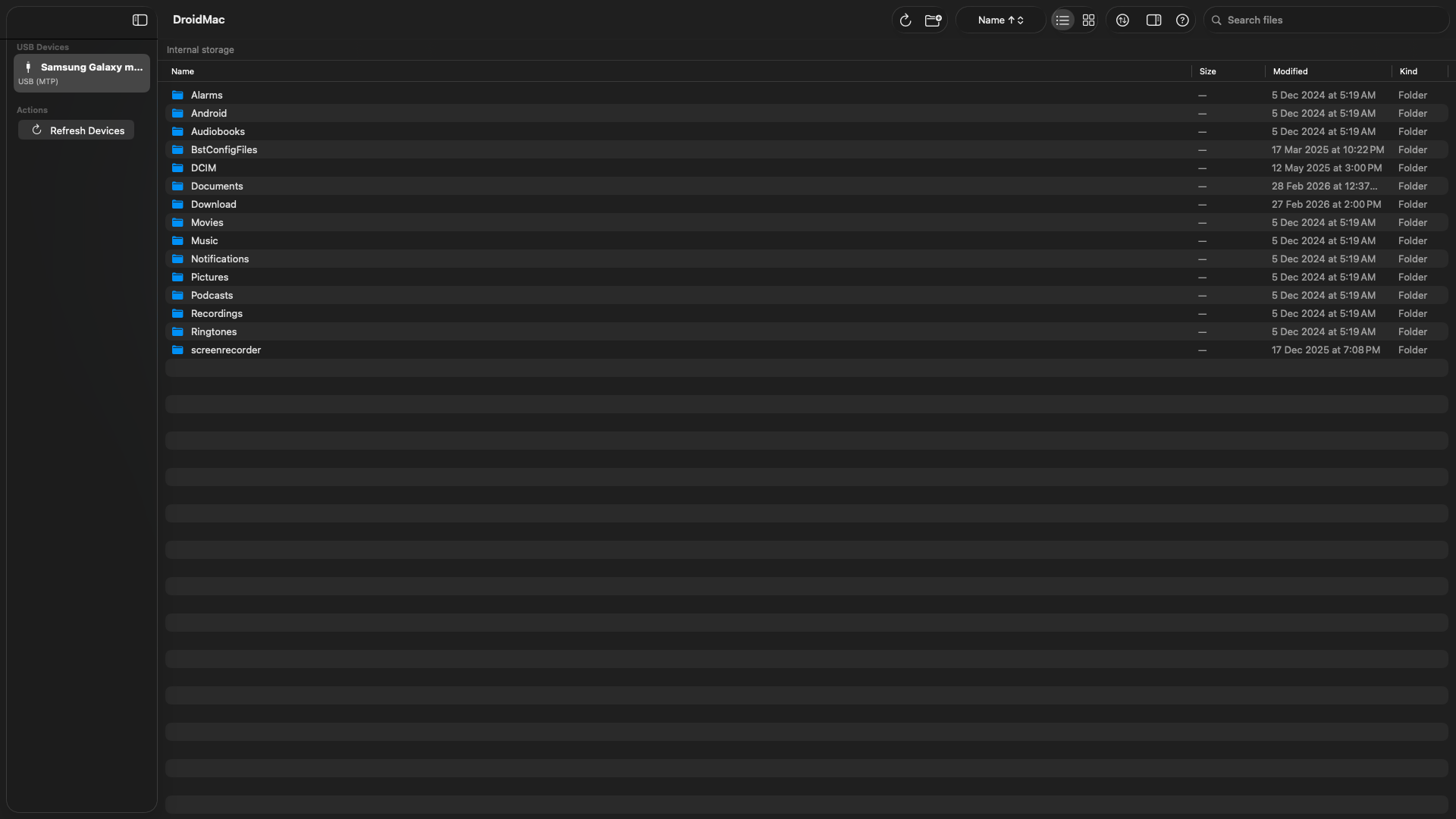
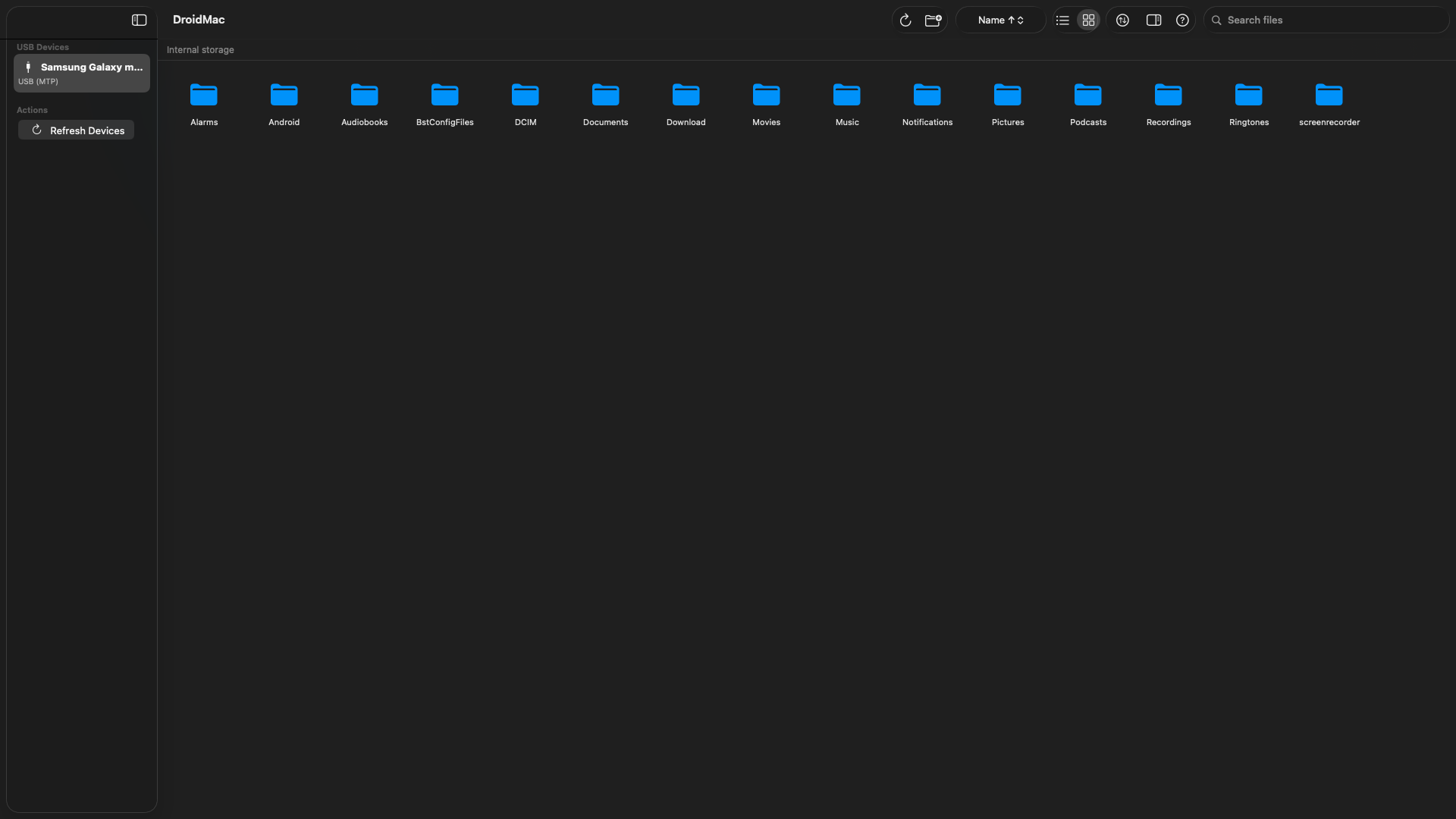
Browse the full Android file system over USB (MTP) or Wi-Fi — internal storage, removable SD card, and every accessible path.
Transfer Queue & Progress
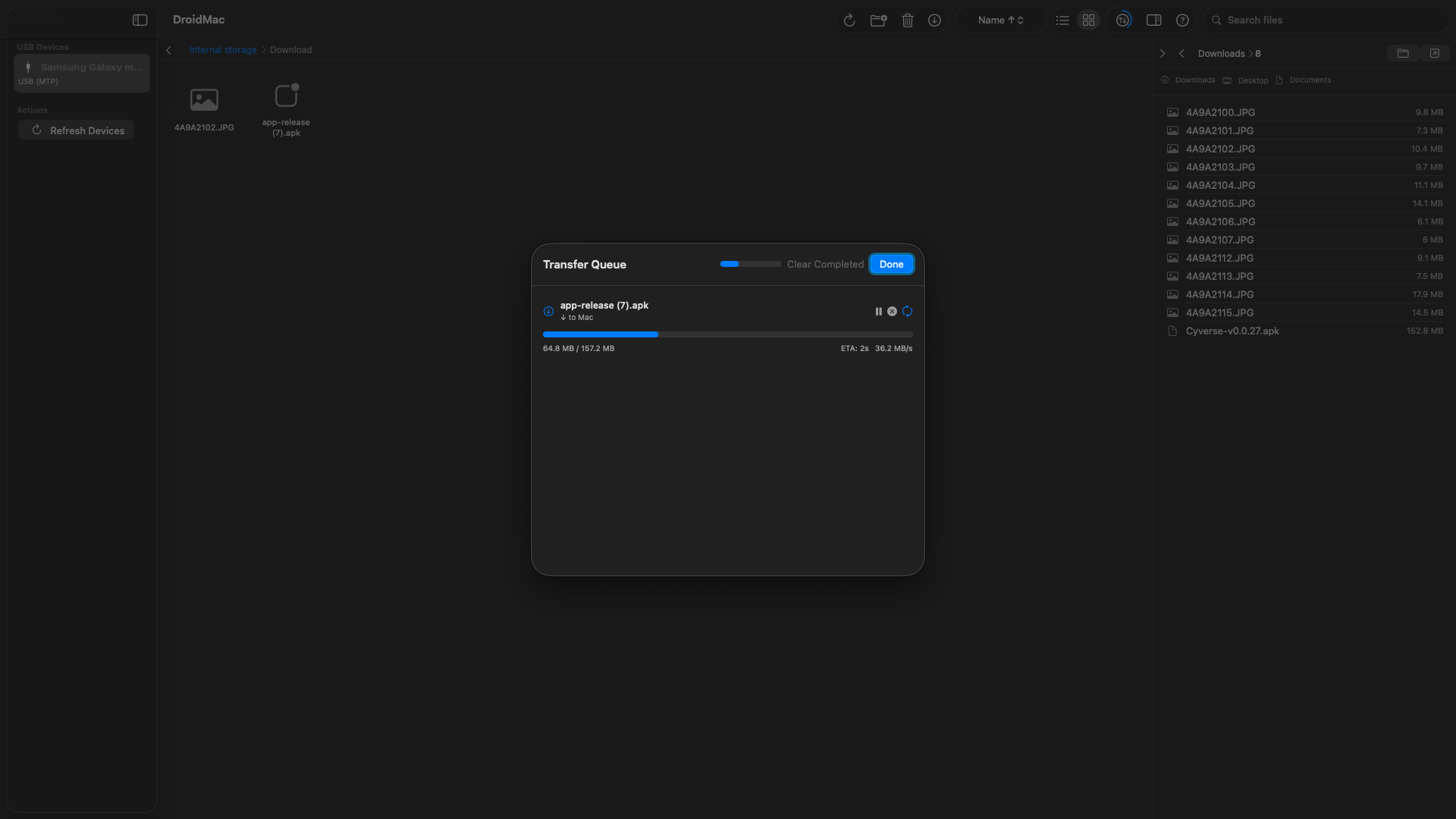
Real-time progress rings, transfer speed, ETA, pause/resume/cancel, and retry on failure.
List & Grid Views
Switch between compact list view and visual grid view. Sort by name, size, or date.
Folder & File Management
Transfer entire folders in either direction — Mac to Android or Android to Mac — over USB or Wi-Fi. Create, rename, move, and delete items in place.
Theme & Font Size
Choose light or dark theme and adjust font size to match your workflow.
Secure Local Transfers
No cloud. No servers. No accounts. Files travel directly between your Mac and phone.
How It Works
How to transfer files from Android to Mac in three steps
Connect Your Device
Plug in via USB and select File Transfer (MTP) on your Android, or pair over Wi-Fi on your local network.
Browse Storage
DroidMac automatically detects your device and displays all accessible storage — internal memory and SD cards.
Transfer Files & Folders
Drag and drop files or entire folders between your Mac and Android device — in either direction. Monitor progress in the transfer queue.
Screenshots
See it on Mac and Android
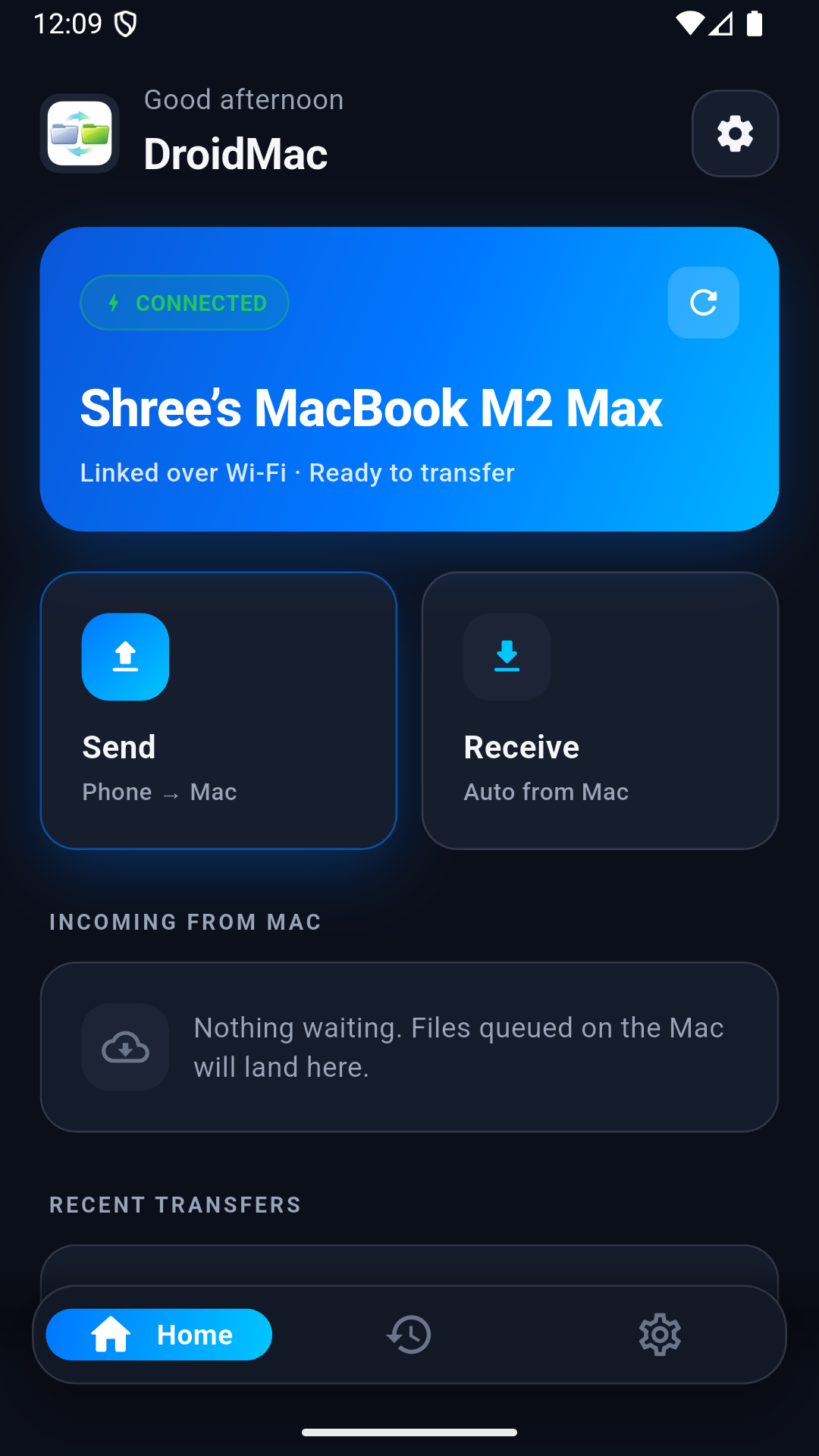
Android Companion
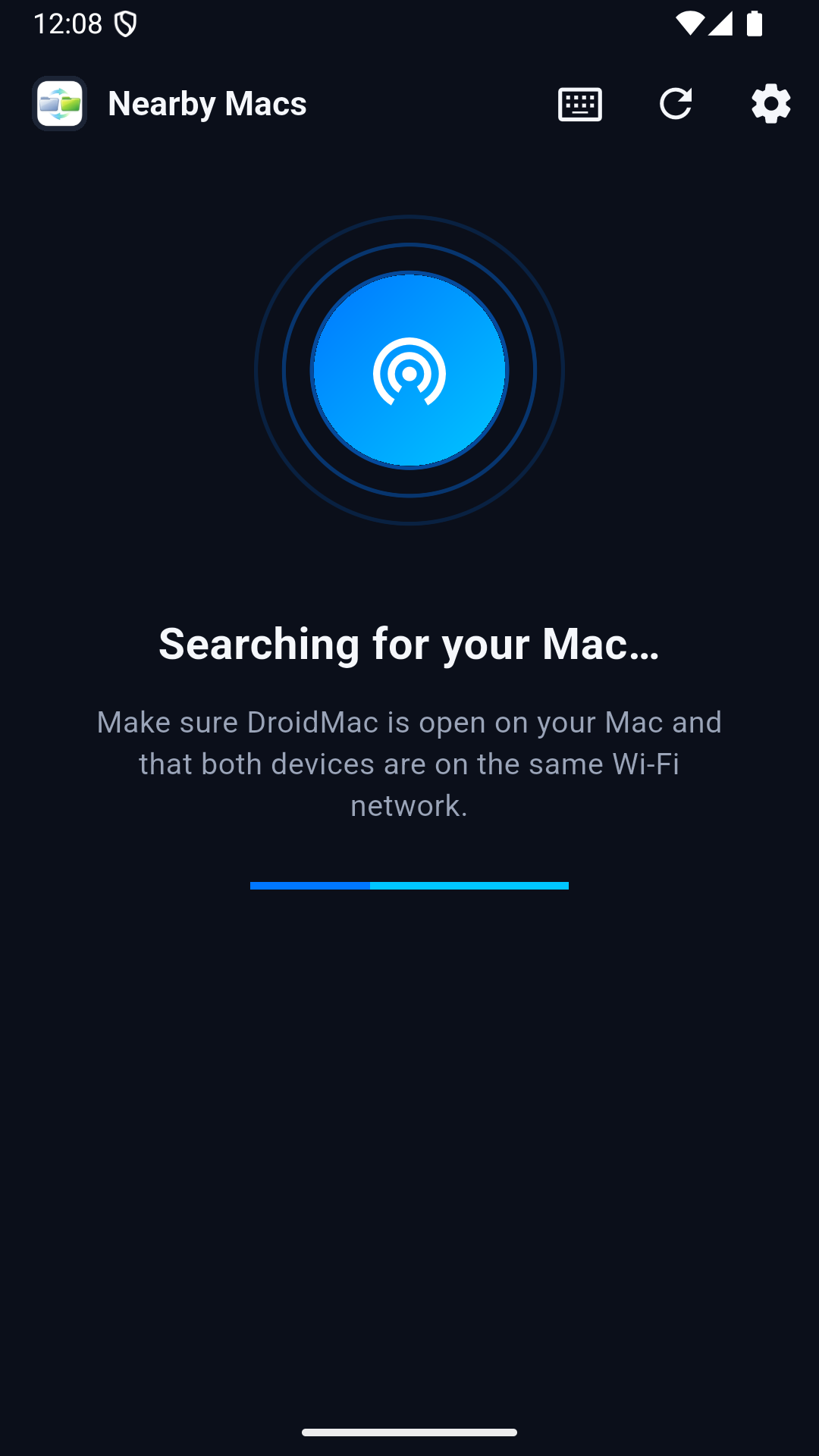
Send from your phone, no cable needed
Privacy First
Your Files Stay Yours.
DroidMac is built on a privacy-first architecture. Your files never leave your devices — no cloud, no servers, no middlemen.
Every transfer happens directly between your Mac and your Android device. Nothing passes through Codeaamy's infrastructure.
- No cloud upload — ever
- No file scanning or indexing
- Local device-to-device transfers only
- Pairing tokens encrypted in macOS Keychain
- No analytics or crash reporting
- No account required
What's New
Version 1.1.2
The latest DroidMac release, out now for macOS.
- DroidMac now runs on Intel Macs as well as Apple silicon — one download for both. Any Mac that runs macOS 14 Sonoma or later is supported, including 2018–2020 Intel MacBook Air, MacBook Pro, Mac mini and iMac.
- More reliable Wi‑Fi sending: a retry no longer uploads the same files twice, and a file the phone could not save is no longer shown as “Delivered”.
- Pairing is safer: the pairing code works only once, and repeated wrong codes are temporarily blocked.
- Files waiting to be sent to a phone are never handed to a different phone that later joins the network at the same address.
FAQ
Frequently Asked Questions
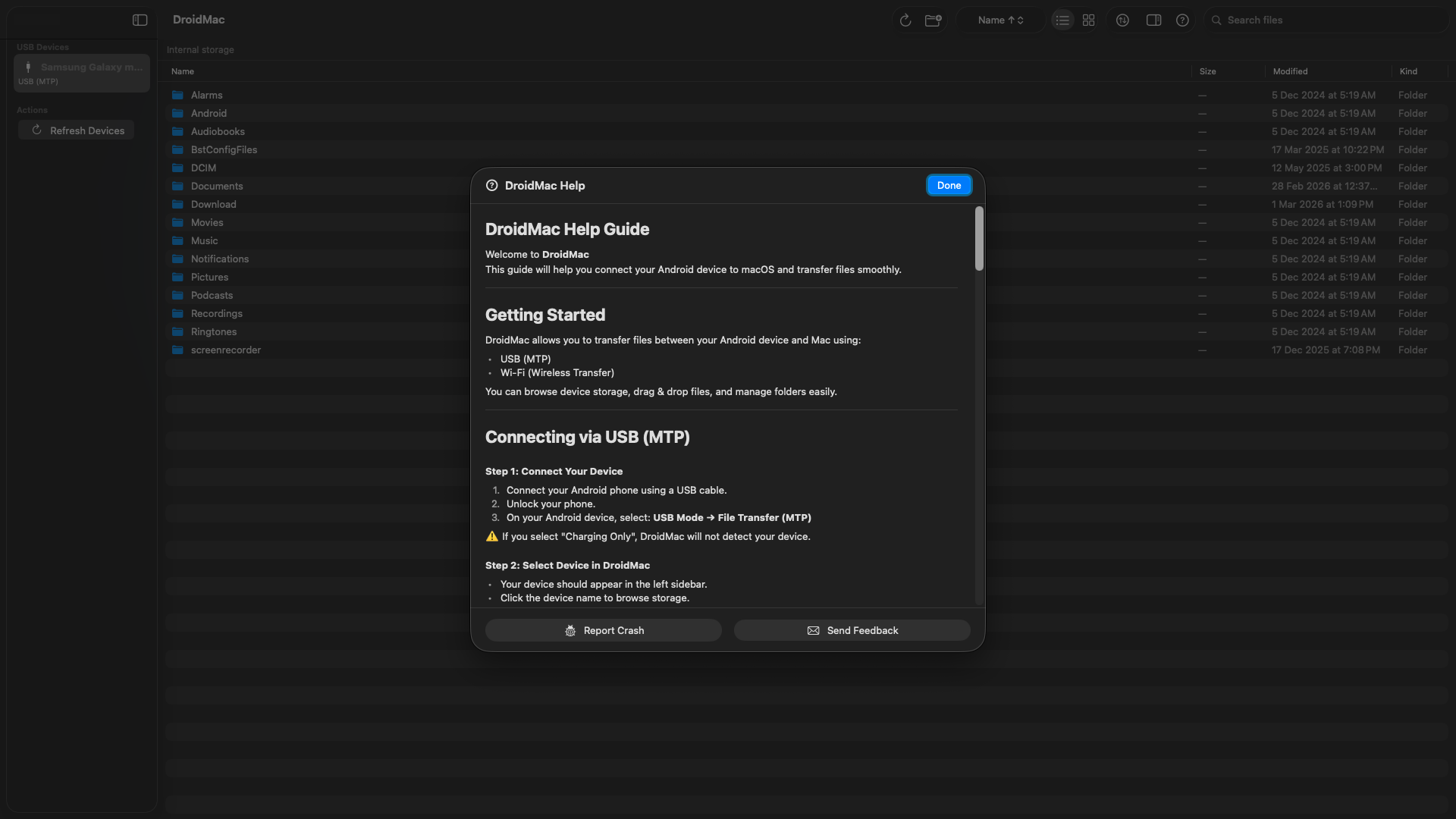
DroidMac is a free Android file transfer app for Mac. It lets you transfer files between your Android phone and Mac using USB (MTP) or Wi-Fi. Simply connect your Android device, browse its file system, and drag & drop files — just like working with any folder on your Mac.
Yes. Google's Android File Transfer app for Mac has been discontinued and no longer works reliably on modern macOS. DroidMac is a modern, actively maintained alternative that supports both USB (MTP) and Wi-Fi transfers, with drag & drop, real-time progress tracking, and full file management.
Install DroidMac on your Mac and the DroidMac Companion app on your Android phone. Make sure both devices are on the same Wi-Fi network. Open both apps and they will discover each other automatically via Bonjour. You can then send files from your phone to Mac or from Mac to your phone wirelessly.
Ensure you are using a USB cable that supports data transfer (not charge-only). On your Android device, pull down the notification shade and tap the USB notification, then select File Transfer (MTP). Try a different USB port on your Mac. If the device still isn’t detected, try unlocking your phone and accepting any trust prompt.
DroidMac works with all Android phones and tablets that support MTP (Media Transfer Protocol), including Samsung Galaxy, Google Pixel, OnePlus, Xiaomi, Oppo, Vivo, Motorola, and more. Any Android device running Android 9.0 or later is compatible.
Make sure both your Mac and Android device are connected to the same Wi-Fi network. On your Mac, allow DroidMac to access your Local Network when prompted in System Settings → Privacy & Security → Local Network. Ensure the companion app is running and advertising on your Android device.
No. DroidMac transfers files directly between your Mac and Android device over USB or your local Wi-Fi network. No file content is ever sent to any server or third-party service. Your files are entirely under your control — private and secure.
DroidMac requires macOS 14 (Sonoma) or later, including macOS 15 Sequoia. It runs natively on both Apple silicon (M-series) and Intel Macs — the same download works on either. Intel Macs that can run macOS 14 include MacBook Air and MacBook Pro (2018 and later), Mac mini (2018 and later), iMac (2019 and later), iMac Pro and Mac Pro (2019).
Yes. DroidMac makes it easy to transfer photos, videos, music, documents, and any other files from your Android phone to Mac. Browse your phone's DCIM, Pictures, or Downloads folder and drag files to your Mac — or use the transfer queue for large batches.
Yes. DroidMac supports transferring entire folders — including nested subfolders — in both directions. Drag a folder from Finder onto your Android storage to copy it over, or drag a folder from your Android device into Finder to bring it to your Mac. Folder transfer works over both USB (MTP) and the Wi-Fi companion app.
Yes. DroidMac detects and lists removable SD card storage alongside your phone's internal storage. You can browse, read, write, and transfer files and folders to or from the SD card just like internal memory — over USB (MTP) or Wi-Fi via the companion app.
Yes, for everyday use. DroidMac is free for up to 1 GB of transfers a day — a daily allowance across all your transfers, not a per-file size limit, and it resets at midnight. The Android companion app is free and unlimited. If you regularly move more than 1 GB a day, DroidMac Pro lifts the cap for a one-time payment, unlocked inside the Mac app.
Still have questions? Contact support